Introducing Activity Log for Enterprises
Author: Alchemy
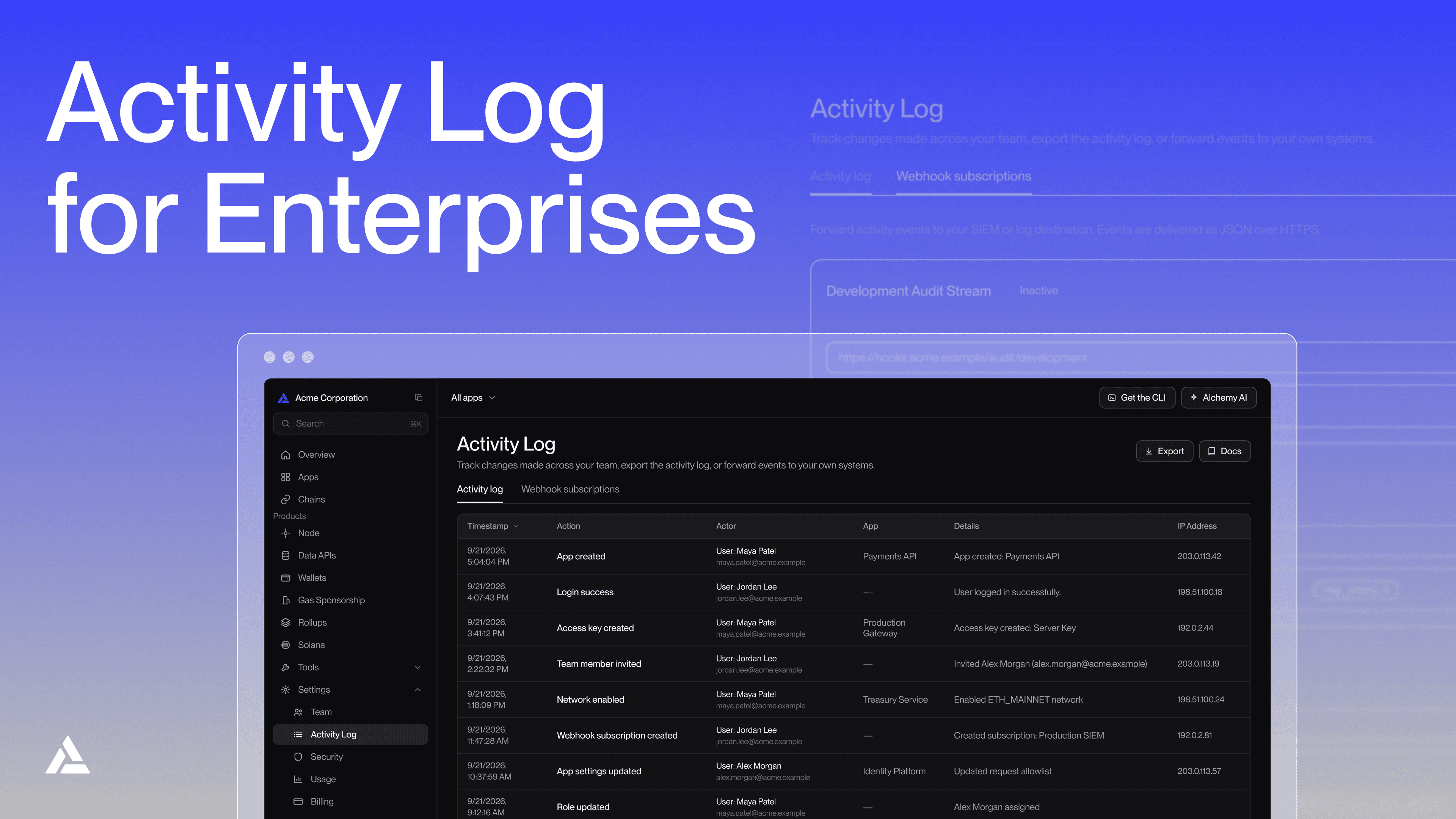
Enterprise teams are often at a scale of operation where several teams, with varying roles and responsibilities, work on a single application. For compliance, security, and auditability, they need to know who changed what on their account, and when, for things like spend limits, allowlists, team access, and network settings.
Activity Log is now available in the Alchemy dashboard for enterprises. It gives account admins a running record of account changes, and a way to push those changes into the security systems they already run.
How Activity Log works
Activity Log covers the account and configuration changes admins are asked about most:
- App management (creating, deleting, or renaming an app)
- Allowlist changes to addresses, domains, and IP ranges
- Network enable and disable actions
- Team updates like invites, removals, and role changes
- Access key creation and deletion
- Billing changes such as plan updates, spend limits, and payment methods
Events include the action, timestamp, and IP address, plus actor and target details when available. Admins can review events directly in the dashboard or export them as a CSV for an audit file. Access is limited to team admins.
Some enterprise teams, especially in regulated industries, already centralize security signals in a SIEM or log pipeline and need those systems fed automatically instead of built around a custom polling script. For them, Activity Log adds self-serve webhooks: an admin adds an HTTPS endpoint, sets authentication, chooses which events to send, and can fire a test event before turning the subscription on.
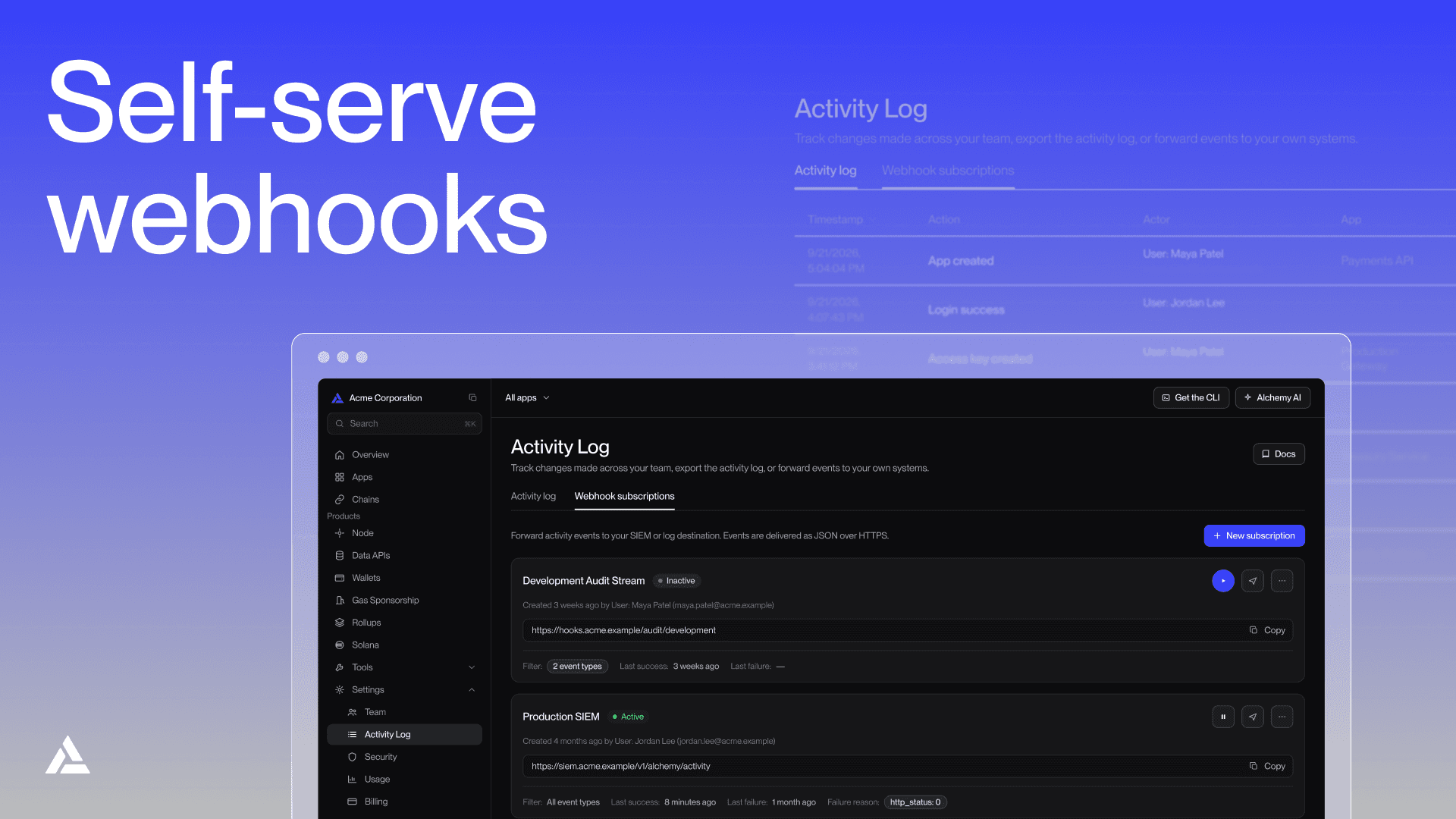
Delivery is at least once, so receiving systems should dedupe by event ID. After five failed retries, Alchemy marks the subscription as failing. If no delivery succeeds for 72 hours, Alchemy pauses it before the next delivery attempt. Admins can see delivery health and pause a subscription at any time from the dashboard.
Getting started
We're proud to process more than $1T in transactions a year for enterprises like Circle, VISA, Coinbase, Aave, Kinexys by J.P. Morgan, and more. Enterprise teams can ask their Alchemy account team to turn on Activity Log and enable SIEM webhook subscriptions. Once enabled, an admin can start reviewing events or set up a webhook subscription directly from the dashboard.
Activity Log shows the last seven days of account activity in the dashboard, with webhooks keeping your SIEM current in real time as new events happen.
Not yet on an enterprise plan? Contact sales to talk through Activity Log and the rest of Alchemy's enterprise solutions.
FAQ
Is Activity Log the same as request logs?
No. Activity Log tracks account and configuration changes: who changed what, and when. It doesn't record individual API requests.
How far back does the log go?
The dashboard shows a rolling seven-day window.
Can we pull events with an API instead of a webhook?
Events reach external systems through the self-serve webhook push. If you have a use case for APIs, reach out to us.
How reliable is webhook delivery?
Delivery is at least once, so dedupe by event ID on your end. Failed deliveries retry five times over about 36 minutes; a subscription failing for 72 straight hours pauses automatically, and admins can check delivery health or pause a subscription anytime from the dashboard.
Who can see the log?
Access is limited to team admins.
Is this available outside Enterprise plans?
This is for teams on the enterprise plans only. Get in touch with us to upgrade your plan and explore custom features for enterprises.
How do we turn it on?
Simply reach out to your Alchemy account team to enable Activity Log.
Alchemy Newsletter
Be the first to know about releases
Sign up for our newsletter
Get the latest product updates and resources from Alchemy
By entering your email address, you agree to receive our marketing communications and product updates. You acknowledge that Alchemy processes the information we receive in accordance with our Privacy Notice. You can unsubscribe anytime.

Related articles
Introducing the Multichain Transfers API (Beta)
Pull a wallet's transfer history across up to 5 networks in one call, already merged and ordered by time.
Introducing the Dashboard AI Assistant
Ask Alchemy is live in the Dashboard. Debug requests, check usage, and manage your setup in plain language.

This month at Alchemy: October edition
Arc builder credits, Tokyo regional support, an RPC benchmarking guide, and more from October at Alchemy.