How to create a new Alchemy API key
 Killiane Menand
To use Alchemy's products, you need an API key to authenticate your requests.
You get an API key when you create an app from the dashboard.
Follow the steps below to create an app:
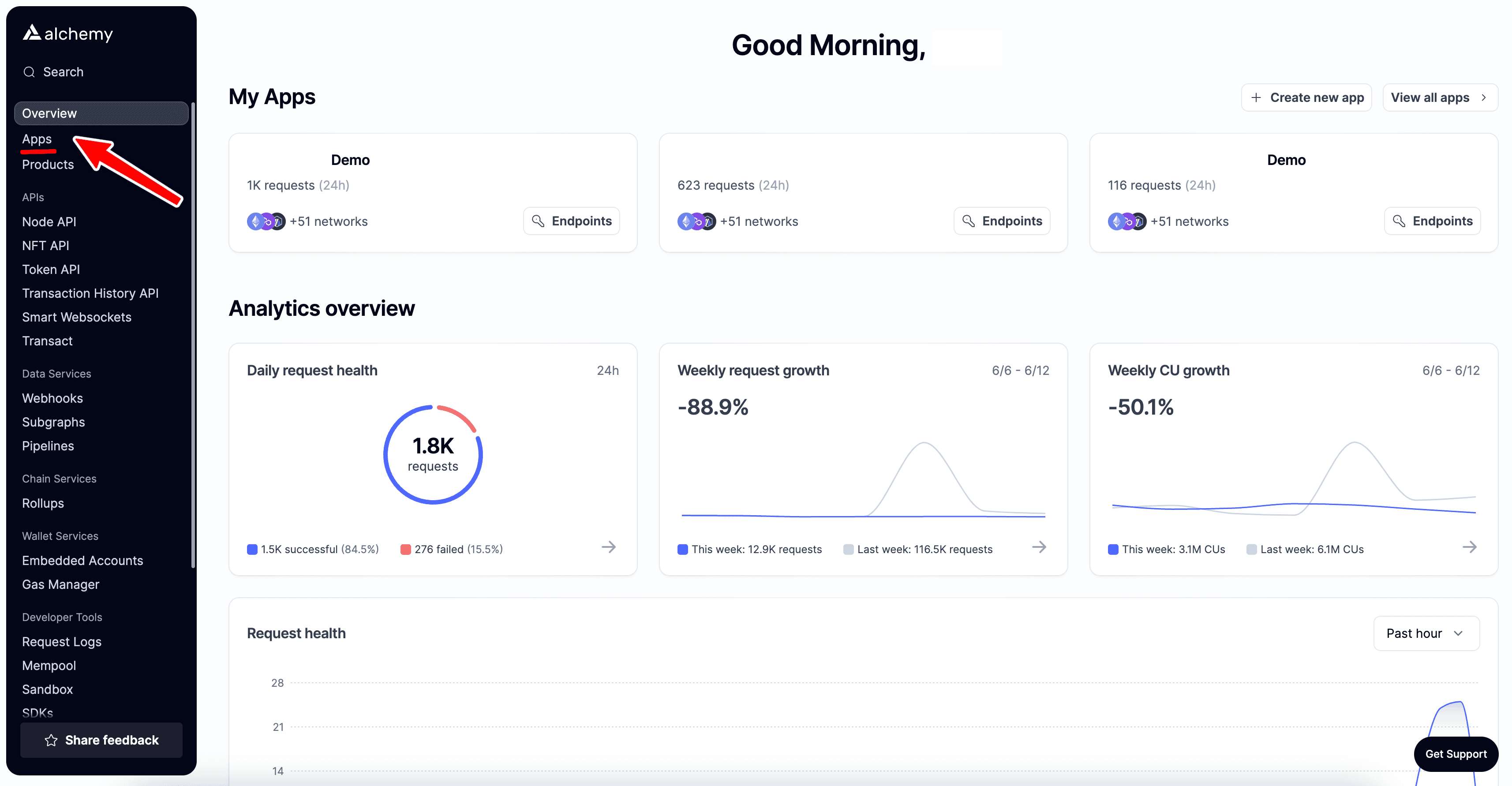
First, navigate to your Alchemy dashboard and click on the "Apps" tab.
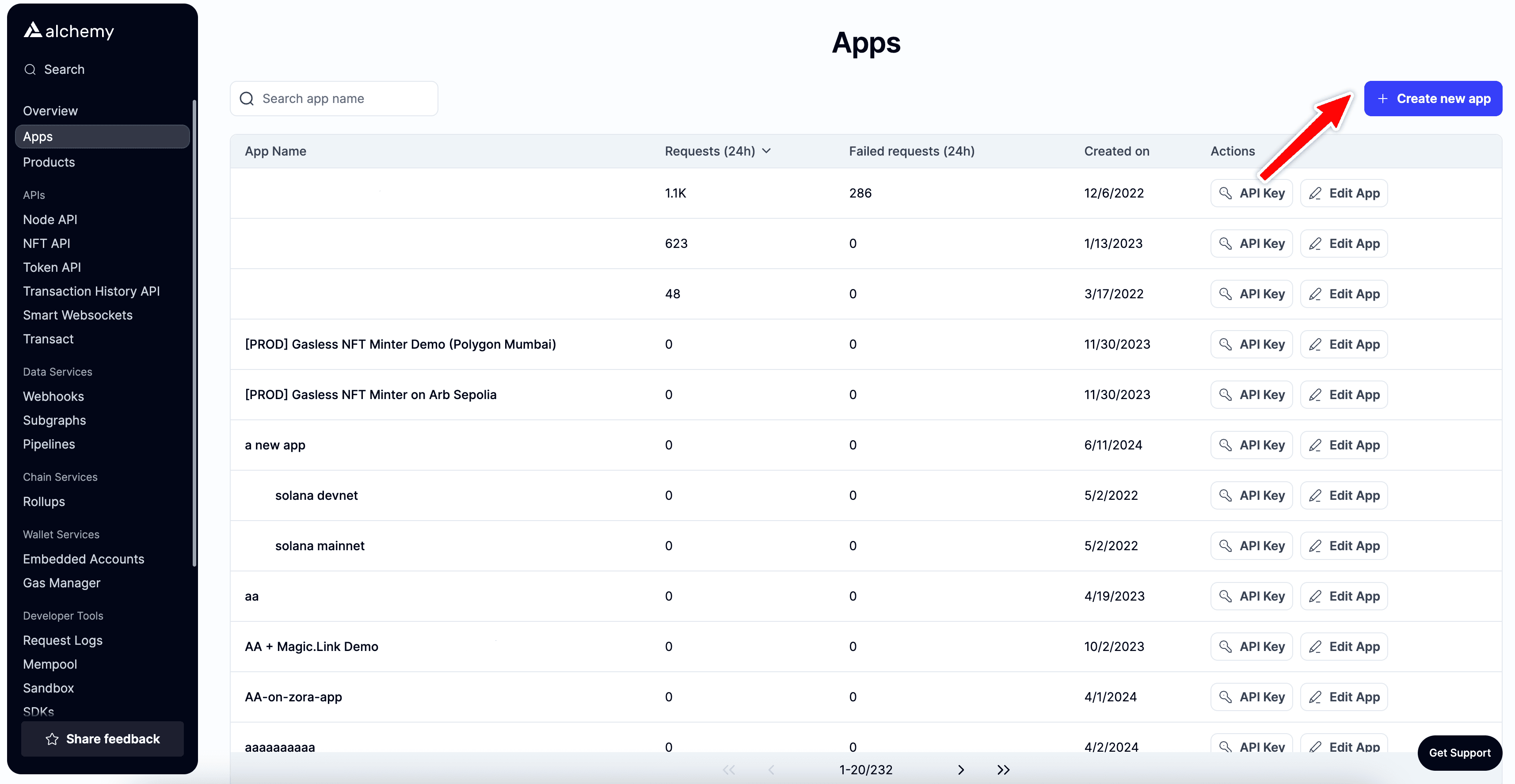
Next, click on the "Create new app" button.
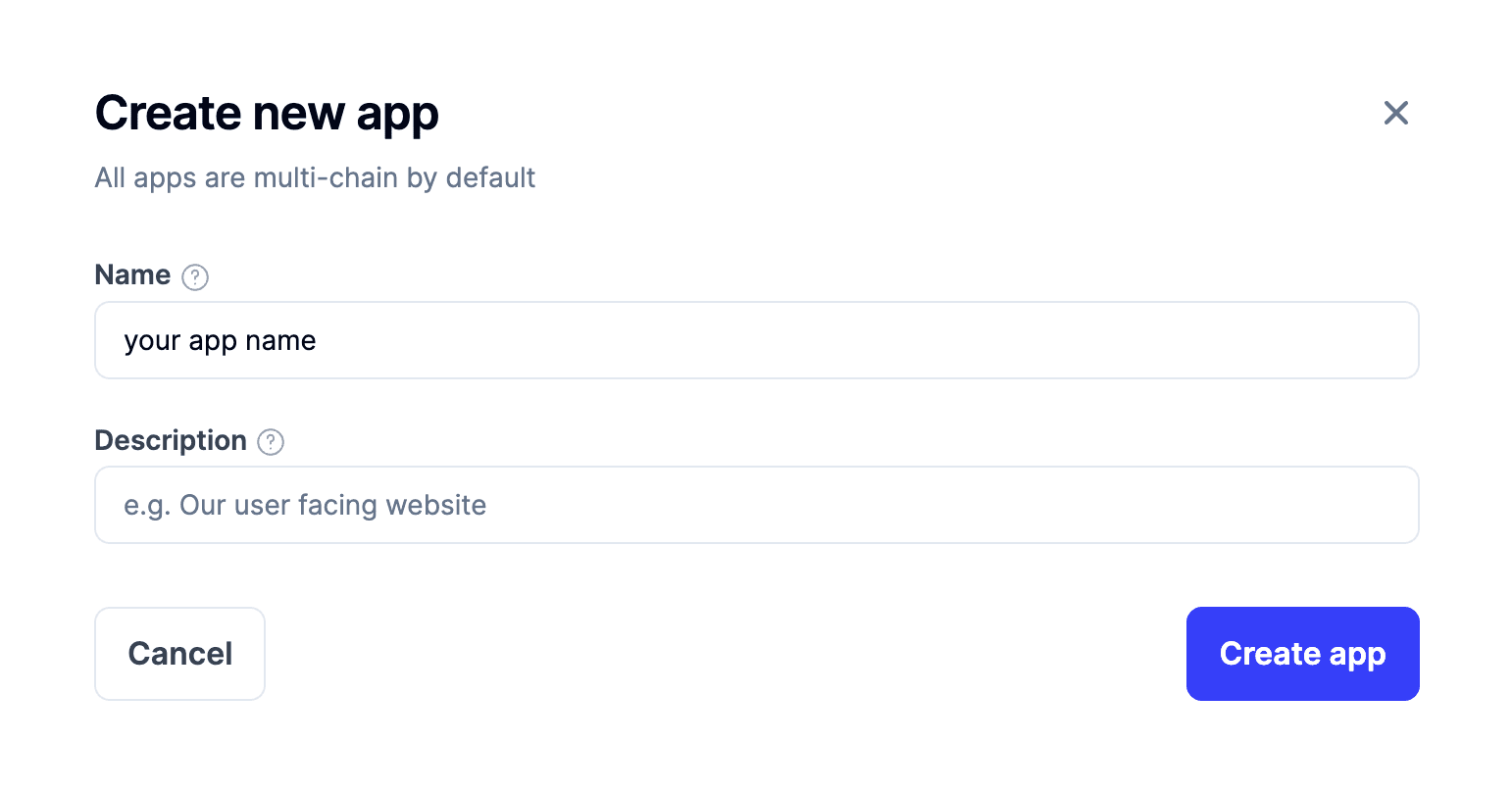
Then, fill in the details for your new app.
This includes specifying a name and description (optional) for it.
Then click the "Create app" button.
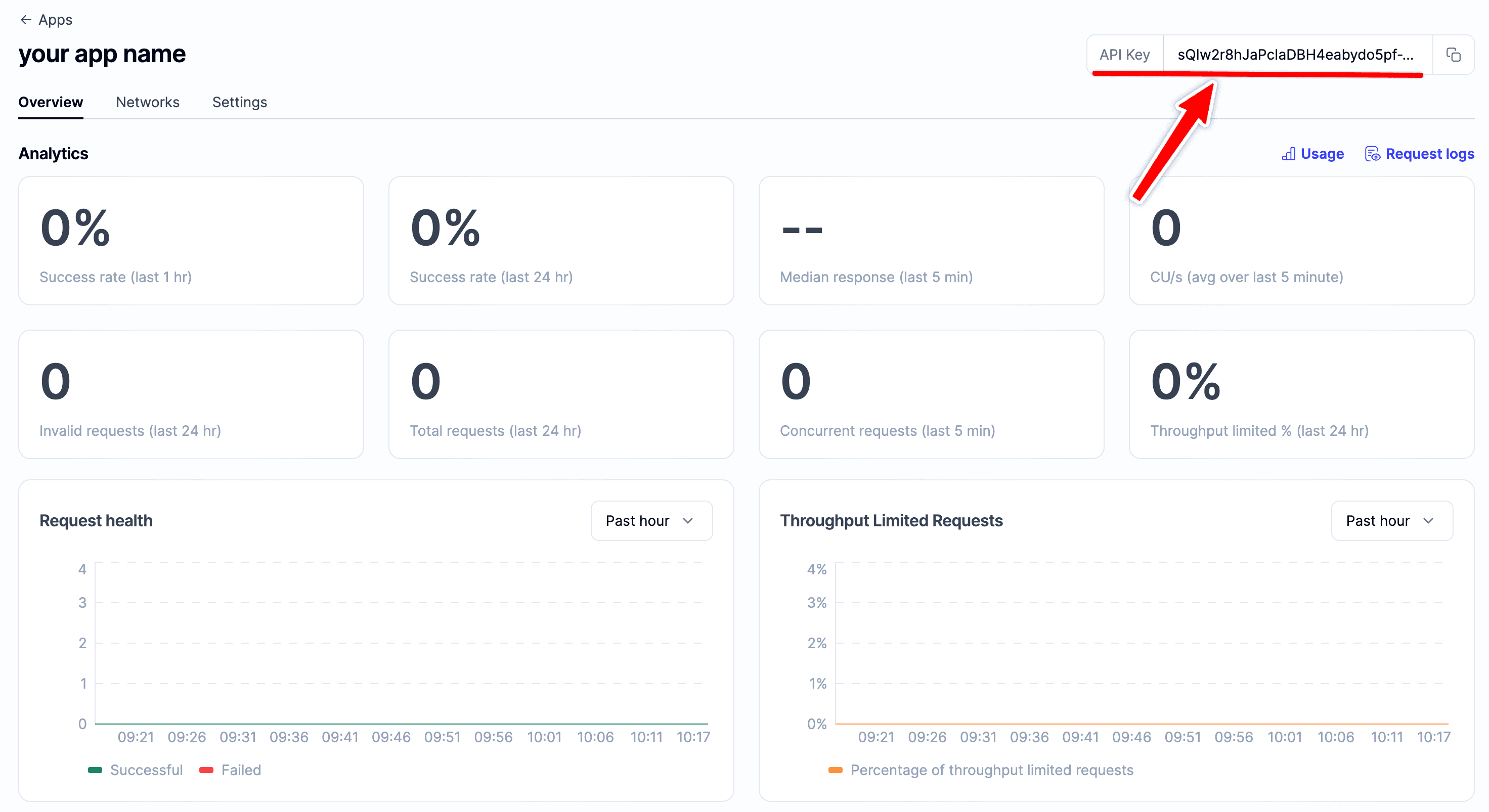
Once your app is created, you will be redirected to the app details page, here you will see your API key in the top right corner.
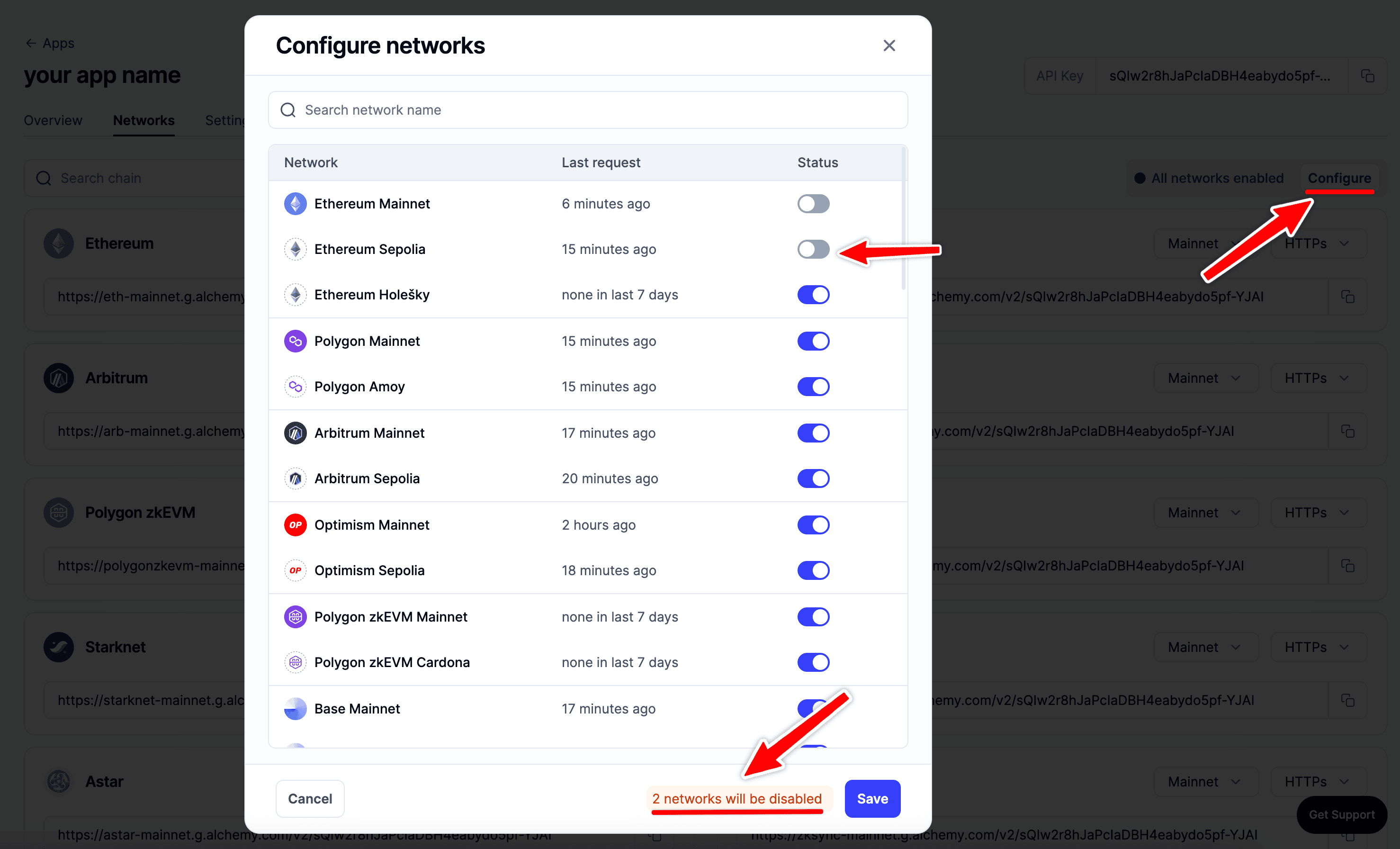
By default the API key is enabled for all the chains and networks, switch to the "Networks" tab to disable certain chains and view the request URLs.
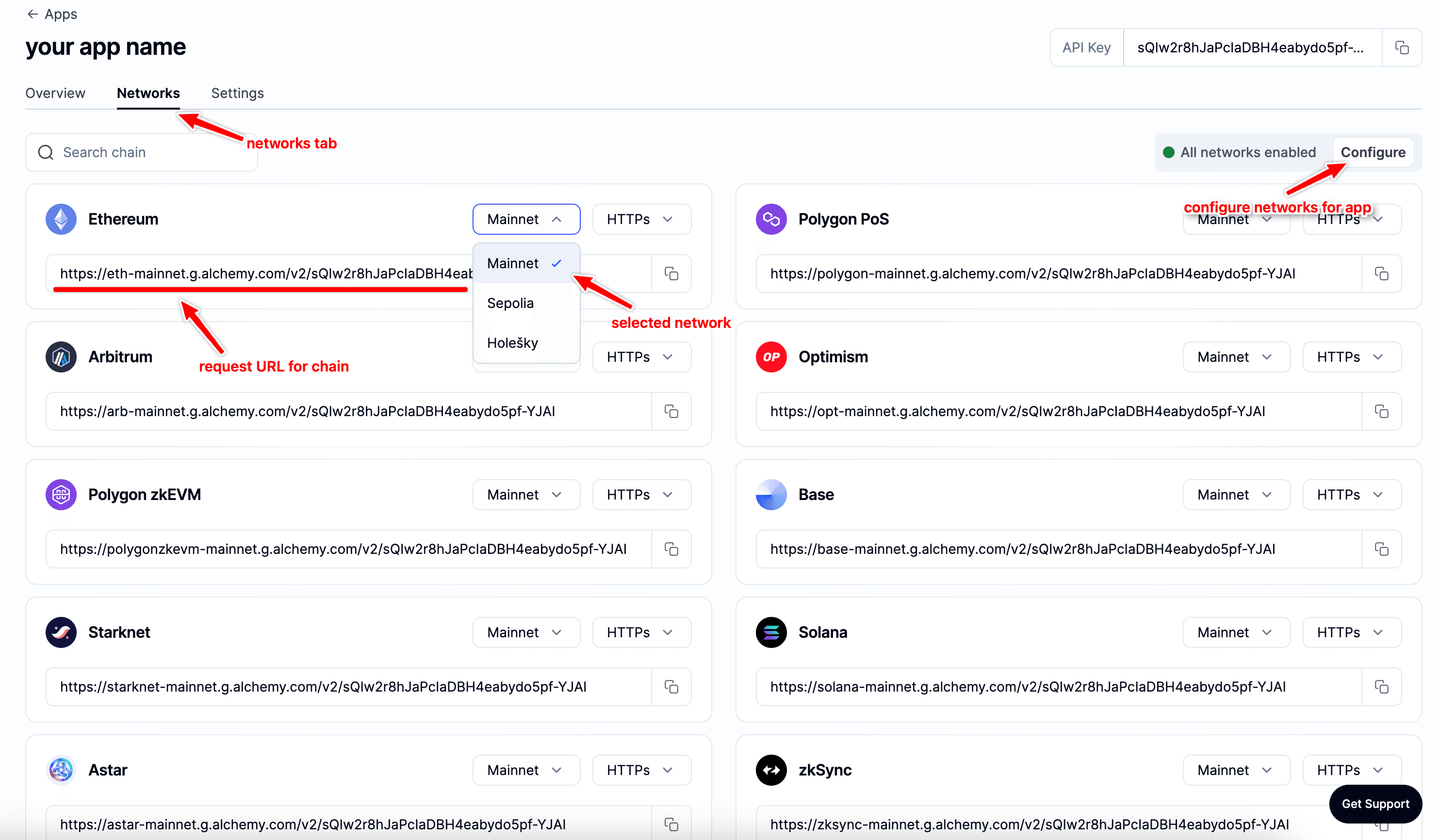
You can easily disable networks using the "Configure" option.
Questions?
If you have any questions or require further assistance with setting up spend alerts and maximum on-demand spend limits, please don’t hesitate to reach out for support -> Open a Support Ticket
Related FAQs