モバイルウォレットでNFTを表示する方法
著者: Alchemy Team
このチュートリアルでは、既存のNFTをモバイル版Metamaskウォレットで表示する方法を説明します。
このガイドの所要時間: 約3分
また、他のNFTチュートリアルシリーズもぜひご確認ください:
おめでとうございます!NFTチュートリアルシリーズの中で最も短くシンプルなパート、ミントしたばかりのNFTをウォレットで表示する方法にたどり着きました。今回もMetamaskを使用します。前の2つのパートで使用したのと同じものです。
前提条件として、Metamaskのモバイル版がすでにインストールされており、NFTをミントしたアカウントが含まれている必要があります。アプリはiOSまたはAndroidで無料で入手できます。
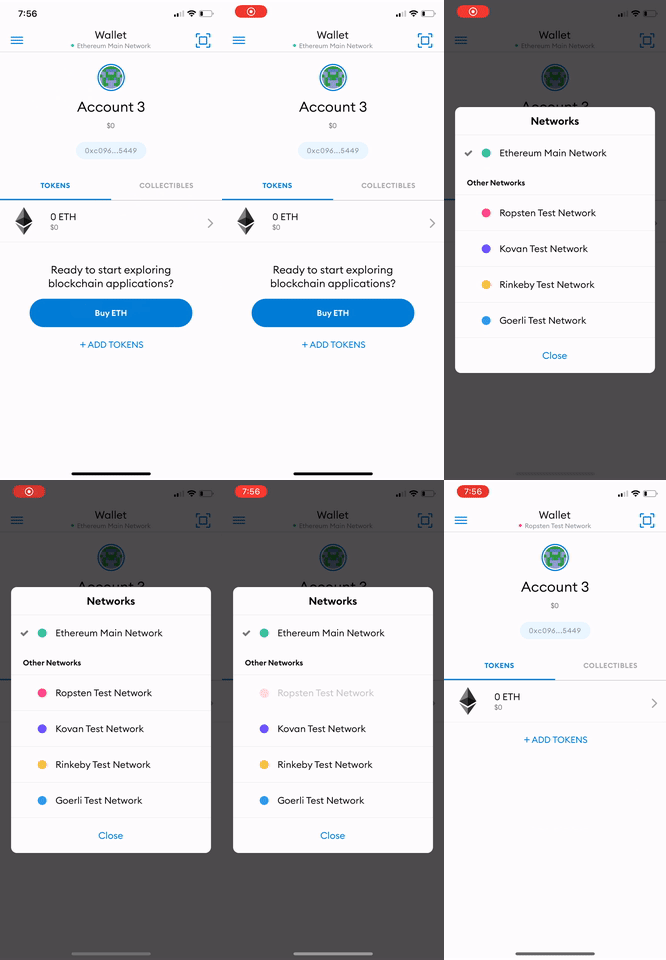
ステップ1: ネットワークをRopstenに設定する
アプリ上部の「Wallet」ボタンを押すと、ネットワークの選択を求められます。今回のNFTはRopstenネットワーク上でミントされたので、ネットワークとしてRopstenを選択します。
ステップ2: コレクタブルをMetaMaskに追加する
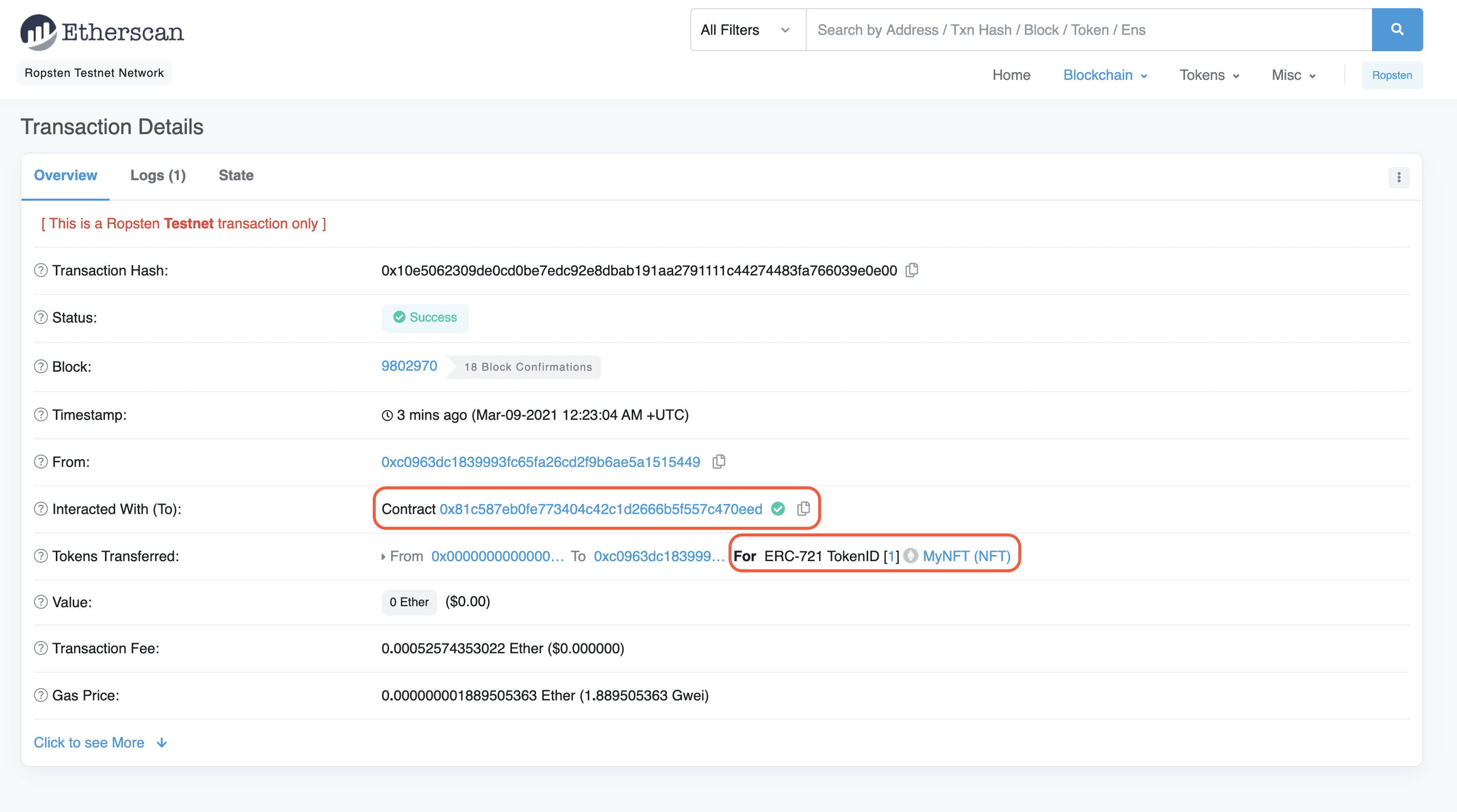
Ropstenネットワークに切り替えたら、右側の「Collectibles」タブを選択し、NFTのスマートコントラクトアドレスとNFTのIDを入力します。これらは、チュートリアルのPart IIでミントしたNFTのトランザクションハッシュをもとに、Etherscanで確認できます。
NFTが表示されるまで何度か更新が必要な場合がありますが、必ず表示されます!😄
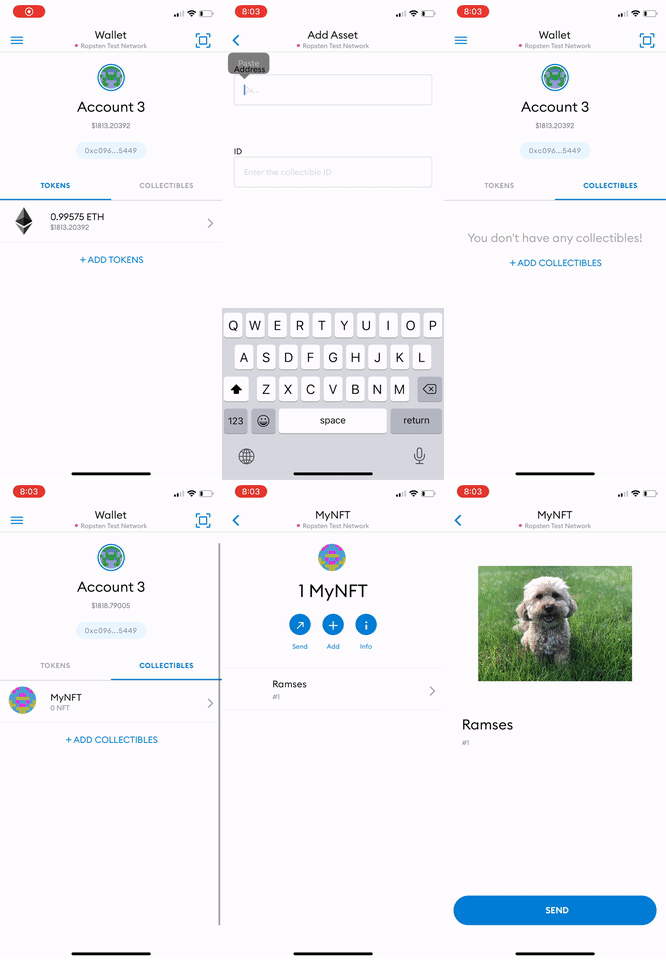
おめでとうございます!これでウォレットでNFTを表示できるようになりました!あなたがNFTの世界でどんな活躍を見せてくれるか楽しみです!🎨🪄🧙🤑🎊
Alchemy Newsletter
リリース情報をいち早く受け取る
ニュースレターに登録する
Alchemyの最新のプロダクト情報とリソースをお届けします
メールアドレスを入力すると、当社のマーケティング情報およびプロダクト最新情報の受信に同意したことになります。Alchemyが受け取った情報をプライバシー通知に従って取り扱うことに同意するものとします。購読はいつでも解除できます。

関連記事
Claude Codeをオンチェーンリサーチエージェントに変える
Alchemy CLIでClaude Codeをオンチェーンリサーチエージェントに変える。適切な質問をすることで、トークンローンチ、デプロイヤーウォレット、管理者キーを追跡できる。
Cortexルーター:あらゆるリクエストに対して最速の健全なノードを選ぶ仕組み
リクエストを近くのリージョンに届けることは最低限の条件にすぎない。次にどのノードが応答するかを選ぶ処理、そここそCortexの仕事だ。
AIエージェント向けブロックチェーンインフラのベスト比較(2026年)
2026年のAIエージェント向けブロックチェーンインフラを比較:エージェントフレームワーク、エージェント対応のRPCおよびデータプロバイダー、それらを繋ぐ標準規格について解説します。